Hundreds of changes overnight. A handful of real decisions, buried.
When the agent works a backlog while I’m away, the morning brings a long log. Most of it is reversible and fine. A few items genuinely need me, and in a plain log they look exactly like everything else.
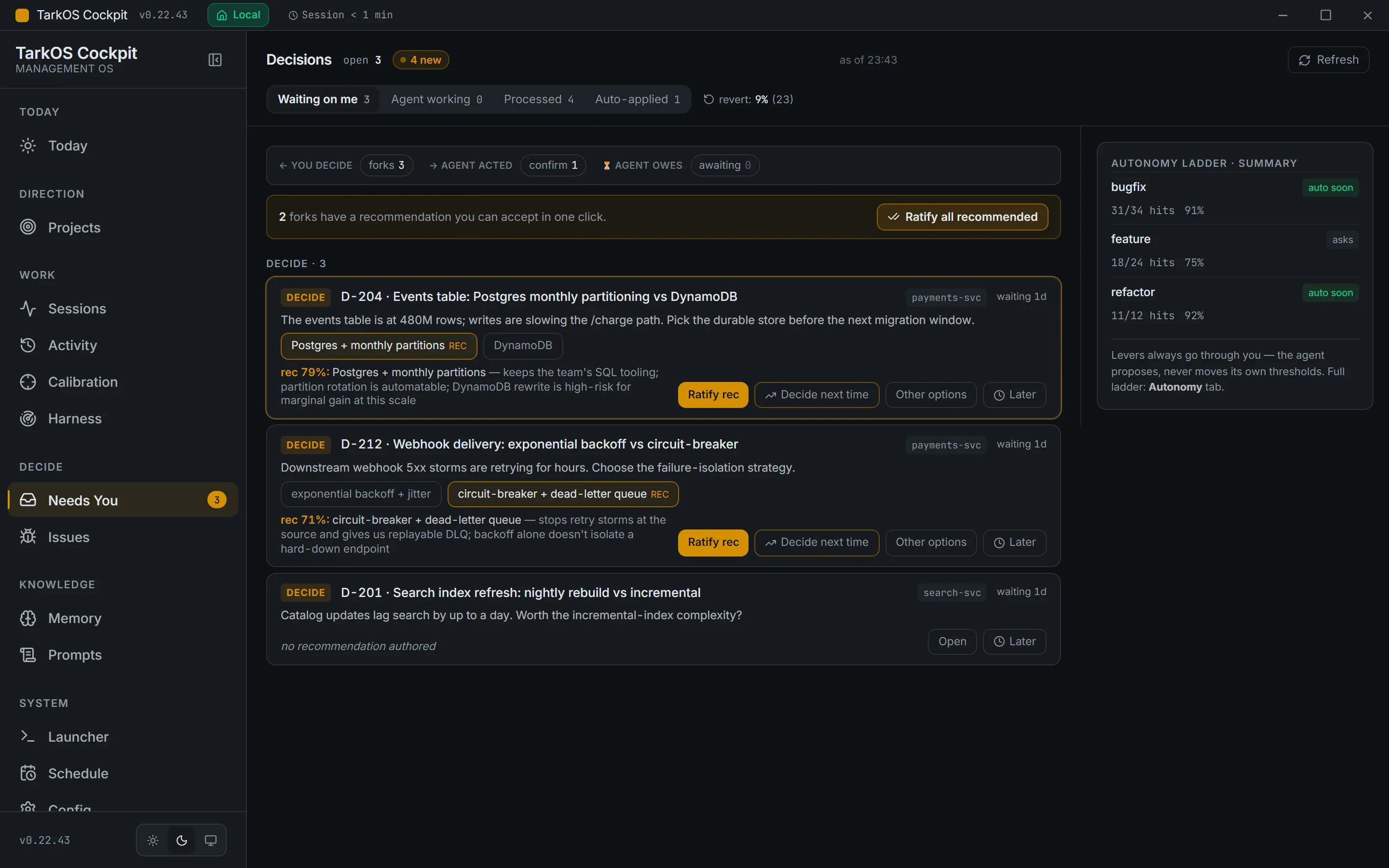
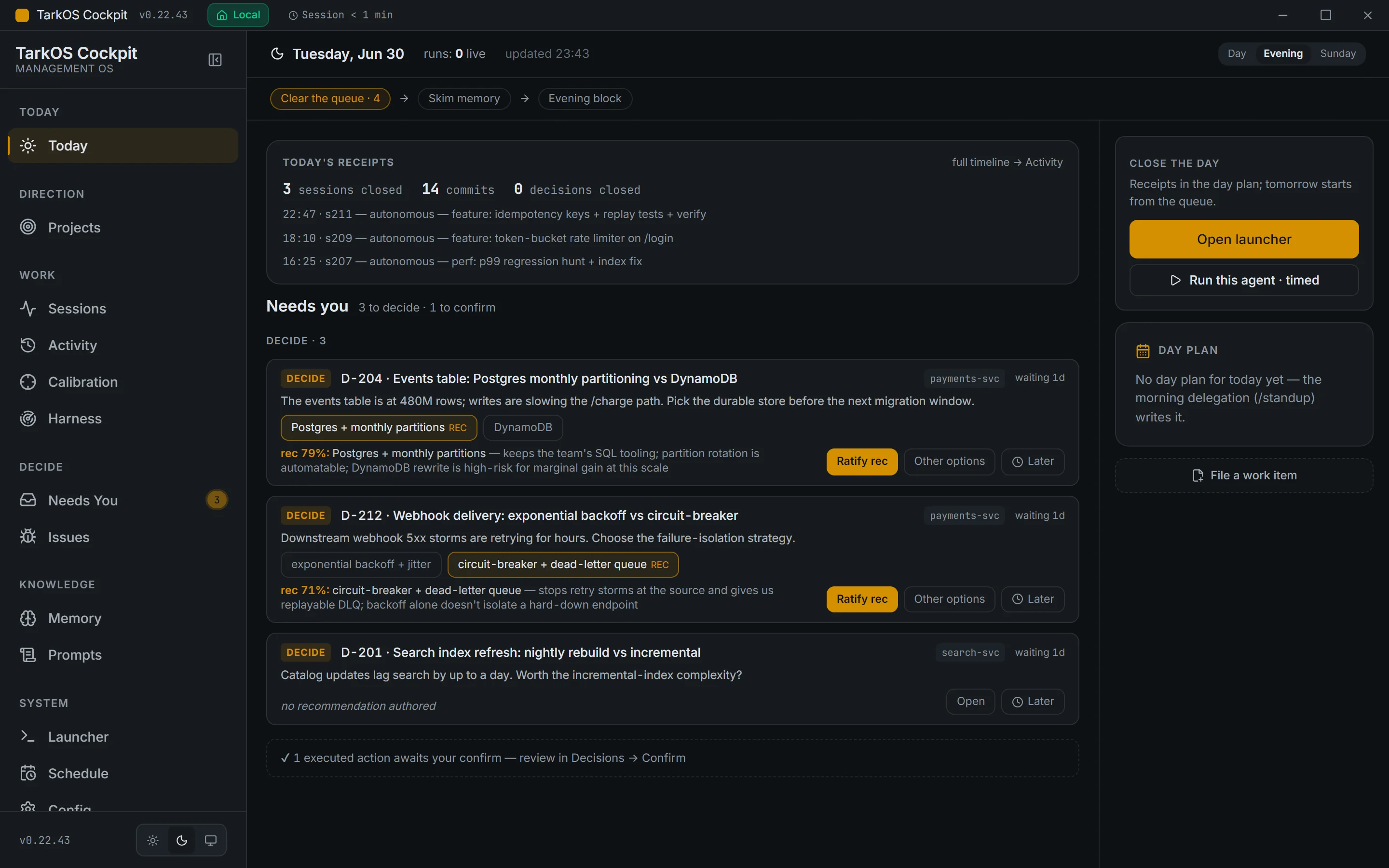
Receipts for what’s done, cards for what needs me
-
C1: Receipts
Reversible, high-confidence actions apply themselves and leave a receipt I can revert.
-
C2: Decision cards
Irreversible or taste calls wait as cards: the options, the agent’s recommendation, its stated confidence, and one-click ratify.
-
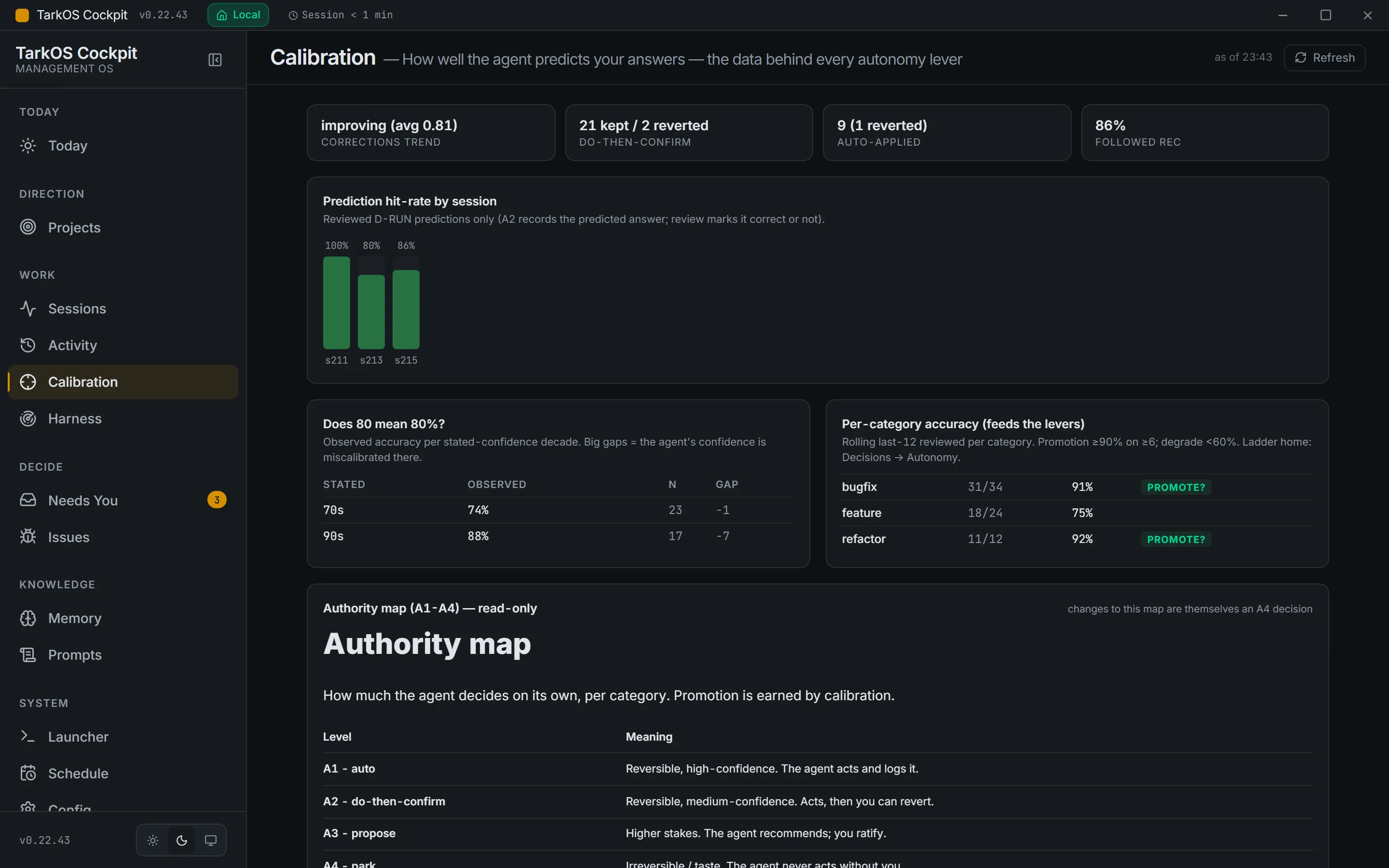
C3: Calibration
A separate view checks whether the confidence is honest: does a stated confidence match how often the agent turns out to be right? That decides how much the agent may do on its own.
-
C4: Sessions, projects and the system map
Live sessions with their context use, a goal tree per project, and a generated map of every mechanism, skill, hook and tool in the harness.
A thin app over git-backed files
There is no database. The harness keeps its tasks, decisions and project state as files in git, and Cockpit reads and writes those same files: a Rust backend with 108 commands, a file watcher that pushes changes to the UI, and small command-line tools that turn harness data into JSON. Ratifying or reverting a decision writes back to the file the agent reads next, so the console and the agent can never disagree about state.
The code is written by AI agents under my specification, test contracts and review of the result, like the rest of the tools around TarkOS.
Measured, with dates
Views over the harness, all from one route config.
Commands between the UI and the harness files.
Harness components drawn in the generated map.
Commits since April 2026.
Real captures, synthetic data
Maintained, not the current focus
Cockpit was built out in June and July 2026 and is maintained since; the harness itself is where my time goes now. The captures above and the live demo use a fictional company’s data, so nothing from my own projects is shown.